


SportCam - Video & Scoreboard
4.4182.00 Reviews
App Specs
- Version
- Varies with Device
- Updated On
- License
- Free
- Downloads
- 100,000+
- Developer
- Rankedin AS
- Categories
- Sports
- Platform
- Android
Screenshots
 Analysis by AppCompare
Ever been at a sports event and thought, "Man, I wish I could capture this epic moment and maybe add a little pizzazz to it?" Well, your wish is SportCam's command. This nifty app is like having a mini-production studio right in your pocket. It’s especially handy for those who live and breathe sports, whether you’re out on the field or cheering from the stands.
Getting Started with SportCam
First things first, getting SportCam - Video & Scoreboard up and running is a breeze. Just download it from the app store, and you’re good to go. The interface is super intuitive, so even if you're not tech-savvy, you'll feel like a pro in no time. I was up and capturing highlights faster than you can say "athlete of the year." The app guides you through the initial setup, making sure you’re ready to catch every pivotal play.
Features that Score Big
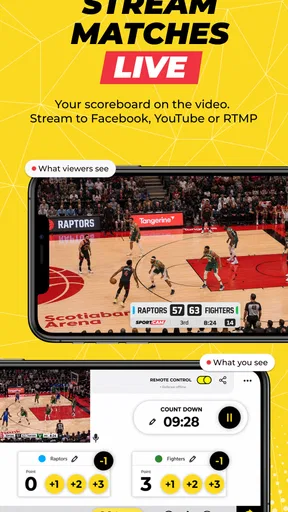
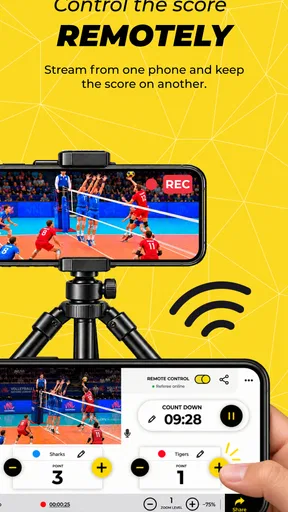
What sets SportCam apart is its unique combination of video recording and live scoreboard features. Not only can you record high-quality videos of your game, but you can also overlay scores right as the action unfolds. It’s like having a sports commentator in your pocket!
- Real-time Scoreboard: No more scribbling scores on your hand. The app lets you input scores in real-time, and they’ll appear right on your video.
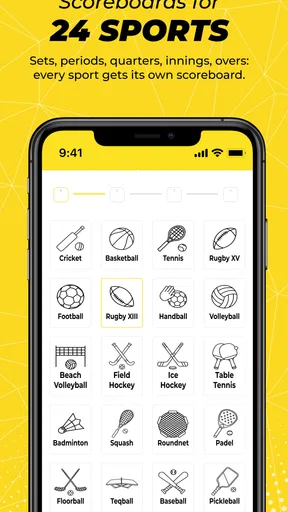
- Multiple Sports Options: Whether it’s soccer, basketball, or even a friendly game of dodgeball, SportCam has you covered with customizable scoreboards for various sports.
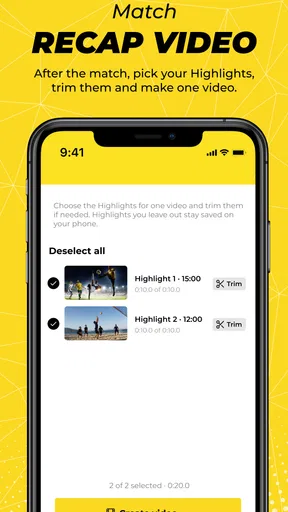
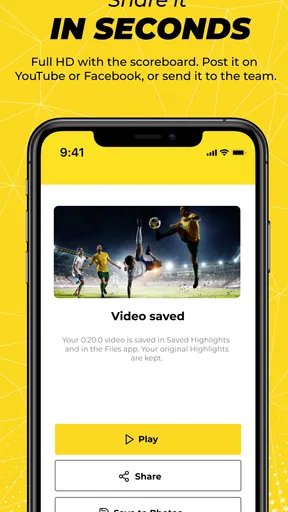
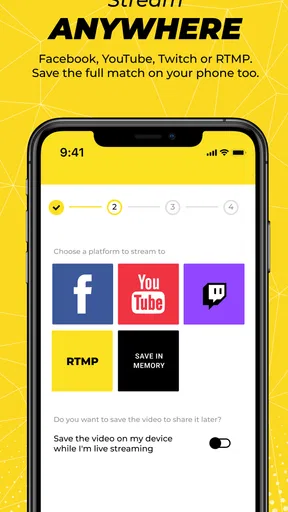
- Instant Sharing: Once you’ve captured that perfect moment, share it instantly with friends and family on social media or through direct messaging.
The video quality is top-notch, and even in less-than-ideal lighting, the results are surprisingly crisp. I was particularly impressed with how smoothly the app handled fast-moving action without any lag.
User Experience: Smooth Sailing
Let’s talk about the user experience. Navigating through the app is as easy as pie. The developers clearly took great care in designing a user-friendly interface. Icons are large and intuitive, and the app runs without a hitch. I’ve used it on both Android and iOS, and it performs beautifully on both platforms.
One of the coolest things? You don’t need an internet connection to use SportCam. Perfect for those remote locations where Wi-Fi is a myth. You can record and update scores offline and upload your videos once you’re back in civilization.
Who’s It For?
Are you a coach looking to provide feedback to your team with a visual aid? Or maybe a parent wanting to capture every moment of your little one’s sports journey? Either way, SportCam is a fantastic tool. It’s also a gem for sports vloggers who want to add that extra layer of professionalism to their content.
Worth Reading Before You Choose

Flipboard Shows What News Apps Must Do Beyond the Feed

Switching to Android Auto Means Rethinking Your Driving Routine

Google Calendar Makes a Crowded Week Easier to Manage

Ludo King Makes the Most of the Minutes Between Plans

Baby Panda World Brings Quick Play to Modern Phones, but Its Game Library Feels Busy

ESPN’s Live Game View Makes Following Close Games Easier
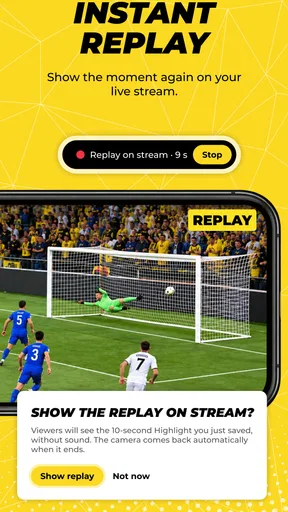
And hey, it’s not just for the pros. If you’re just a casual sports enthusiast, this app can still add a fun and interactive element to your weekend games with friends. Imagine the bragging rights when you replay that game-winning shot with a scoreboard overlay!
The Final Whistle
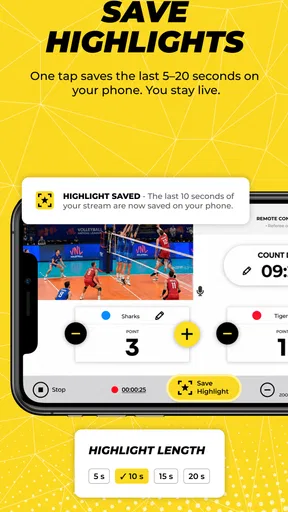
All in all, SportCam - Video & Scoreboard is a slam dunk in the world of sports apps. It’s versatile, easy to use, and adds an element of professionalism to amateur sports. Whether you’re recording for fun or trying to capture serious highlights, this app has got your back. So, lace up those sneakers, grab your smartphone, and get ready to capture some epic sports moments like never before!
Pros
- Easy to use interface for quick navigation.
- Real-time scoreboard updates seamlessly.
- High-quality video recording options.
- Customizable team names and colors.
- Supports multiple sports for versatility.
Cons
- Limited editing tools for recorded videos.
- Ads can be intrusive during use.
- Requires internet for full functionality.
- No option for offline scorekeeping.
- Battery drain is noticeable with prolonged use.
FAQs for SportCam - Video & Scoreboard
What features does SportCam - Video & Scoreboard offer?
SportCam - Video & Scoreboard allows users to record live sports events while overlaying real-time scores directly onto the video. It includes features like customizable scoreboards, instant replays, and the ability to share videos with overlays on social media. These features make it ideal for coaches, players, and fans wanting to capture and share game highlights.
Is SportCam compatible with all Android and iOS devices?
SportCam is designed to work on most modern Android and iOS devices. However, it's essential to check the app's requirements on the app store to ensure your device is compatible. Typically, devices running the latest operating systems provide the best performance and access to all features.
Does SportCam require an internet connection to function?
SportCam does not require an internet connection for basic recording and scoring functions, making it suitable for use in areas with limited connectivity. However, internet access is needed for sharing videos on social media and accessing cloud storage features, if available.
Are there any in-app purchases or subscriptions in SportCam?
SportCam may offer in-app purchases or subscriptions to unlock additional features such as advanced editing tools, enhanced scoreboard customization, and cloud storage options. It's advisable to review the app's store listing for detailed information about any costs involved before downloading.
How user-friendly is SportCam for beginners?
SportCam is designed with a user-friendly interface that makes it accessible for beginners. It includes intuitive controls for recording and scoreboard management, along with tutorials and customer support to assist users. Beginners should find it easy to navigate and utilize the app's core features effectively.


